
Exploring indxstar's Game Library Structure
Our Game Library organizes content into distinct categories so you can jump straight to what interests you. When you log in to indxstar on your mobile app (Android) or via browser (iOS/desktop), the library opens with a search bar, filter options, and curated collections. You can browse by game type—slots, live casino, sportsbook, esports—or by keyword, recent plays, and your personal favourites.
Each game tile in our library displays a thumbnail image, the title, a brief description, and tags indicating volatility (for slots), RTP, or market availability (for sportsbook). Clicking a tile opens the full game view, where you'll see the complete rules, payout table, minimum stake, and maximum stake. Most slots offer a demo button—tap it to spin for free using virtual credits, no deposit required.
Slot Games on indxstar
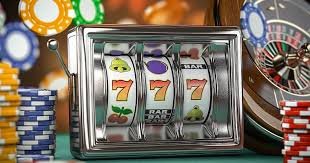
Our slot collection spans classic three-reel machines to modern video slots with cluster-pay mechanics. Popular titles include Aviator (ascending-multiplier format), Sweet Bonanza (candy-themed cluster pays), Gates of Olympus (Greek mythology, high volatility), Fortune Tiger (Asian-inspired), and Mahjong Ways (tile-matching gameplay). Each slot publishes its RTP percentage, volatility tier, payline count, and bonus-feature descriptions so you understand the math before spinning.
Slots on indxstar settle instantly—each spin outcome is determined within milliseconds by a certified random number generator. Your account balance updates in real time, and you can pause between spins to review your session history, check winnings, or withdraw your balance to e-wallet, mobile banking, local payment, online payment, or a bank account whenever you choose.
Live-Dealer Casino Games
Our live studios house professional dealers running Blackjack, European Roulette, Baccarat, Dragon Tiger, and multi-camera variants. Each table carries minimum and maximum stake limits clearly displayed in the Game Library. You can filter by limit to find a table matching your budget—whether you're testing with a small stake or playing higher amounts. Tables run 24/7, and you join as soon as you tap the table tile; no queuing, no waiting for specific times.
Live-dealer games are played in real time with a live video feed. Your decisions (hit, stand, bet colour, etc.) are transmitted to the dealer, and outcomes settle on screen instantly. The Game Library logs every hand you play, showing your stake, the result, and your balance after settlement. Withdrawals from live-casino winnings flow directly to your chosen payment method—e-wallet scan-and-pay, mobile banking virtual account, local payment, online payment, e-wallet, or e-wallet partners.



Sportsbook and Tournament Markets
Our sportsbook within the Game Library covers football extensively—Liga 1, Piala Indonesia, Piala AFF, Champions League, Premier League, and regional tournaments. You'll also find markets for MotoGP, badminton, and seasonal esports tournaments. Each match or event tile displays the current odds, market availability (pre-match or live), and settlement status. Tap a match to expand the full market view and place your selection.
The Game Library updates odds in real time as matches approach kickoff. Live-match odds adjust continuously during play. Once a match settles, the Game Library logs your result and calculates your payout instantly. Withdrawal of sportsbook winnings follows the same secure process—select mobile banking, local payment, online payment, or your preferred bank account and confirm.
Esports Markets and Mobile Legends Betting
Under our esports section, the Game Library features Mobile Legends Pro League (MPL), Free Fire tournaments, and PUBG Mobile competition markets. Esports tiles show team names, match schedules, and odds in real time. Like sportsbook markets, esports bets settle instantly once the match concludes, and your balance updates in the Game Library immediately.
- RTP (Return to Player)
- A percentage showing the theoretical long-term payout for a slot or game. Higher RTP (e.g., non-specific info) means better odds for players over time.
- Volatility
- Describes how often and how large slot payouts occur. Low volatility = frequent small wins; high volatility = rare big wins.
- Payline
- A winning path across slot reels. Games may have 10, 100, or more paylines; all activate automatically per spin.
- Demo Mode
- Free play using virtual credits, no real money required. Test game mechanics before depositing.
Our Game Library is built for discovery—filter by interest, test in demo, and deposit only when you're ready. Every game publishes its rules upfront; there are no hidden mechanics.
Filtering and Navigating Your indxstar Game Library
The Game Library's filter panel lets you narrow results by multiple criteria. For slots, you can filter by volatility (low, medium, high), RTP range, theme, or newest release. For live casino, filter by game type (blackjack, roulette, etc.) and table limit. For sportsbook, filter by sport (football, MotoGP, badminton) and league (Liga 1, Piala Indonesia, international).
You can also sort results by popularity (most-played games), newest additions, or highest-rated (based on user feedback). A search bar lets you jump straight to a game by name—type "Sweet Bonanza" and you're there instantly. Your recent plays appear in a separate tab, so you can return to favourite games without searching.
Deposit and Account Management Integrated with Game Library
Once you've chosen a game and clicked to open it, if you haven't deposited yet, the Game Library displays a deposit prompt. Tapping the deposit button opens a payment selection screen where you choose your method: e-wallet, mobile banking, local payment, online payment, e-wallet, mobile banking scan-and-pay, or direct bank transfer to local payment, online payment, e-wallet, or mobile banking virtual account. The deposit flow takes subject to verification on average—once your transfer settles, your balance appears in the Game Library and you can begin playing immediately.
Your account balance displays in the Game Library header (top-right on most devices). Tapping your balance opens your account dashboard, where you can view transaction history, check pending verification, and initiate a withdrawal. All withdrawals return to the same payment method you used to deposit—no cross-method transfers needed.
Mobile-First Experience on indxstar
The Game Library on indxstar is optimized for mobile. Our Android app offers native performance and offline access to your account dashboard. On iOS, you access the full Game Library via Safari or Chrome—no separate app needed. Both experiences support portrait and landscape orientations, so you can play however is comfortable.
We recommend a network connection of at least 2 Mbps for smooth gameplay. Live-dealer streams require stable connection—if your signal drops, the stream may pause until reconnection. Slot spins are lightweight and load quickly even on 3G, though 4G LTE is ideal for uninterrupted play. During peak times (especially around Liga 1 weekends or Idul Fitri holidays), our servers scale to handle traffic without lag.
Game Library Search Tips and Recommendations
If you're unsure where to start in our Game Library, here are common navigation paths. New players often begin with demo slotspick a mid-volatility title like Fortune Tiger or Mahjong Ways, play 20 free spins to understand mechanics, then decide if you want to deposit. Experienced players may jump straight to live-dealer tableswhere they can chat with dealers and enjoy multi-camera views of a real table.
Sportsbook players typically filter by upcoming Liga 1 fixtures or international tournaments and check odds in real time. Mobile Legends and Free Fire fans navigate to our esports section and follow tournament brackets within the Game Library itself. The library remembers your viewing history, so games you've played recently appear at the top of your next session.